Devora Cloud · Blog
Where should your application store images?
Understand application files, databases and S3 object storage.
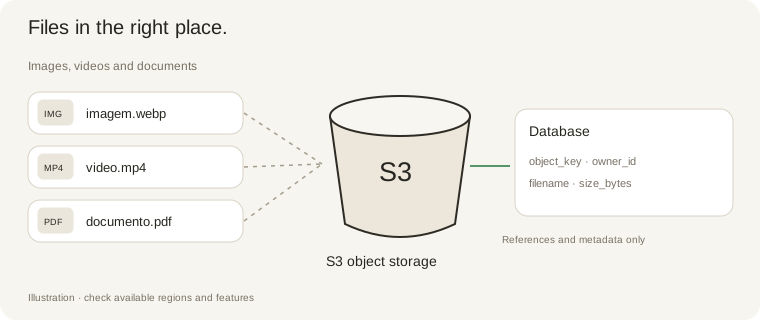
Application code, database records and user uploads have different needs. Separating them makes deployments simpler and removes reliance on the disk of a single application copy.
Use S3 for images, videos, documents and attachments. Keep metadata such as owner, filename, size and object key in the database, rather than image binaries.
In Devora Cloud, an S3 link appears as a project resource. Open its row for endpoint, region, bucket and prefix. AI instructions identify that link’s variables; credentials must only be read on the server.
Separate links can organize images and documents. Administrator links have distinct prefixes and variables but still share integration credentials: a folder does not enforce permission isolation. Automatic customer provisioning requires project-restricted credentials.
Use signed URLs for private files, prepend the configured prefix to object keys and store references in the database. Adding S3 does not migrate existing files or automatically modify application code.
S3 storage · 1 TB
1 TB = 1,000 GB. Billed separately from applications, in US dollars (USD).
Encryption at rest and HTTPS connections for managed storage. The current bucket uses SSE-KMS by default. Access depends on credentials and permissions; private files should use expiring signed links.
Ordering is being prepared. No automatic charges or activation are available.
Read the manual ↗